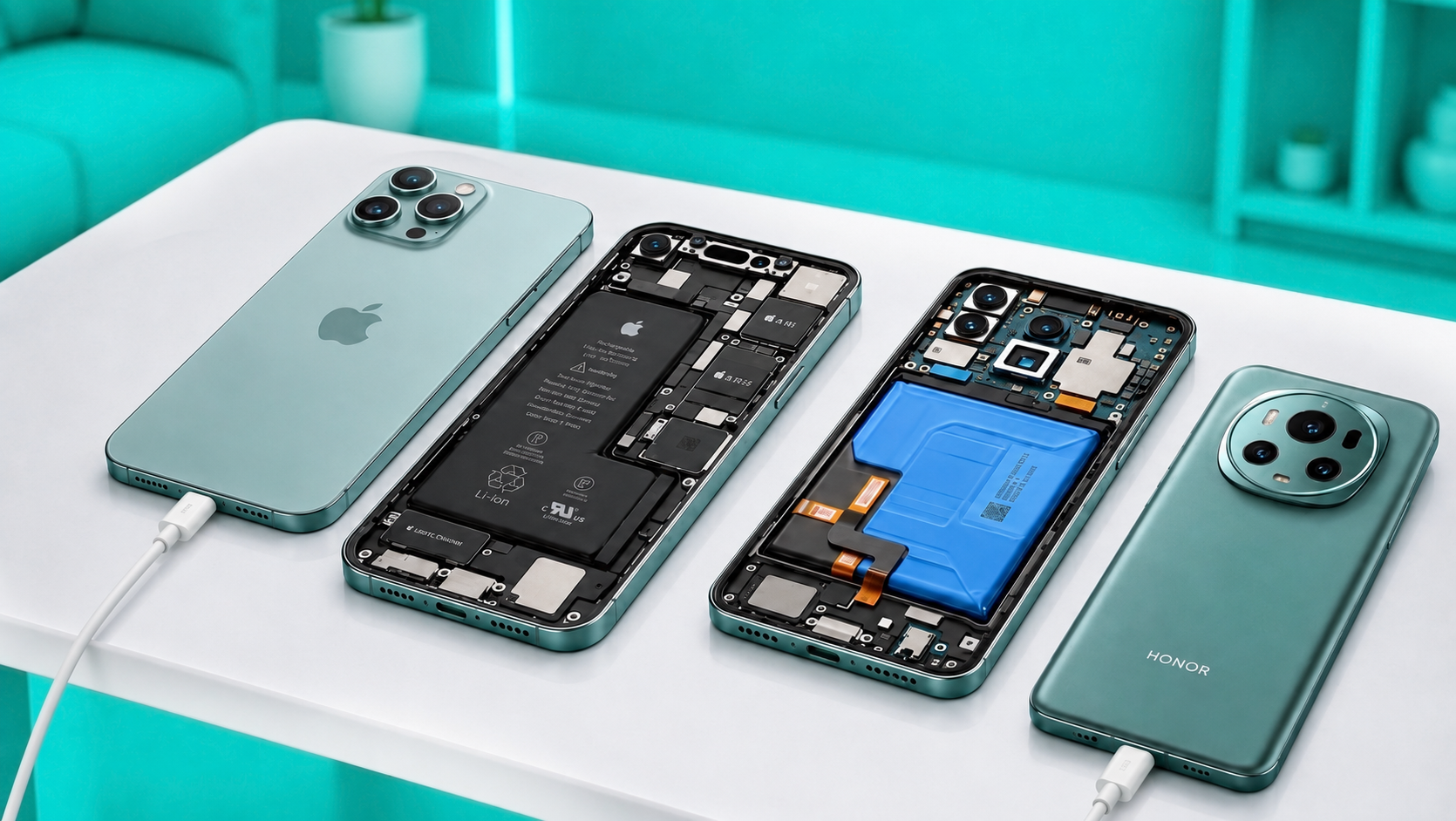
Real Power Bank Capacity: How Many Charges Do 10000 and 20000mAh Provide?
9 November 2026
ارض الجوال

Real Power Bank Capacity: How Many Charges Do 10000 and 20000mAh Provide?

Thinking of buying a 10000 or 20000mAh power bank? The number of phone charges is not simply one number on the box divided by another. Understanding real power bank capacity helps you choose a portable battery with realistic expectations.

What does real power bank capacity mean?

mAh measures electrical charge at a particular voltage, not energy by itself. A power bank has an internal cell capacity, and the manufacturer may also state a rated output capacity at a specified voltage and current. Do not compare output mAh directly with your phone battery without checking both voltages.

A documented manufacturer example

Xiaomi lists the Mi 18W Fast Charge Power Bank 3 with 10000mAh cells at 3.7V, equivalent to 37Wh, but a rated output capacity of 5500mAh at 5.1V and 2.6A. These figures describe that specific model, not every 10000mAh power bank. Official Xiaomi specifications.

Why does advertised capacity differ from the energy reaching your phone?

The mAh figure changes with the measurement voltage even before losses are counted. Power-conversion circuitry then uses some energy itself. Anker explains that voltage differences and circuit losses account for the gap between cell capacity and rated output capacity. Anker support.

Further energy is lost during transfer and battery charging. A phone in use also consumes power. A lower output capacity does not by itself mean a battery is counterfeit, and a capacity figure alone does not establish product quality.

How can you estimate the number of phone charges?

Start with watt-hours (Wh), when available. At a battery's nominal voltage, energy = mAh × voltage ÷ 1000. Do not substitute USB output voltage for the battery voltage.

An illustrative calculation, not a performance promise

Assume a 37Wh power bank and a phone battery rated 5000mAh at 3.85V, or 19.25Wh. If we assume 75% of the power bank's energy ultimately reaches the phone battery, then 37 × 0.75 ÷ 19.25 ≈ 1.44 equivalent full charges.

The 75% figure is an illustration, not a fixed efficiency or a measurement of store products. The result represents enough energy for one full charge plus about 44%, not a guaranteed result every time. Performance varies with the device and conditions. If your starting figure is measured output energy, do not subtract the power bank's internal conversion losses again.

10000 or 20000mAh: which suits you?

  • Everyday use and lighter travel: compare 10000mAh options by weight, dimensions and output power.
  • Longer periods away from a socket: compare 20000mAh models for more reserve, while checking weight and recharge time.
  • Multiple devices: check total output and how it is shared when ports operate together, not just the number of ports.

Capacity is not charging speed

mAh and Wh describe charge and energy, while W describes power. A larger capacity does not guarantee faster charging. Check charging-protocol compatibility between the power bank, device and cable. USB-IF explains how USB Power Delivery manages power according to device needs. USB-IF.

Check input power to understand the power bank's own recharging requirements, and read our USB-C cable guide before choosing accessories.

Options to compare at Ardaljwal

Compare the JODA NeoPower 10000mAh and JODA NeoPower 20000mAh, reading each product's specifications before ordering. We have not measured their actual number of phone charges, and the assumptions in the example do not automatically apply to them.

Conclusion

Choose by energy needs, weight and charging compatibility—not just the largest number. Browse Ardaljwal's power banks and compare rated capacity and port power to find a suitable option.

The original illustration does not depict a specific product. Sources reviewed: November 9, 2026.

Read More
Find a Lost Phone: Settings to Enable Before It Goes Missing
19 October 2026
ارض الجوال

Find a Lost Phone: Settings to Enable Before It Goes Missing

Your chance of finding a lost phone starts before it disappears. Review device-finding settings now and make sure you can access your account from another device. This is a preparation guide for iPhone and Android, not a guarantee of recovery in every situation.

Why set up phone-finding services in advance?

Having an app is not enough: the account, location settings and model-specific features affect the result. Check them while you still have your phone. Use these services only for your own devices or devices you are authorized to manage—not to track other people without consent.

Enable Find My on iPhone

Review the basic settings

Open Settings, tap your name, then Find My, and enable Find My iPhone. Also review the Location Services settings needed to display the device on a map. Labels may vary slightly by system language and version.

Understand the network and last-location options

Apple explains that the Find My network can help locate an offline device, while Send Last Location sends its location when the battery is low. Available features depend on the device, region and conditions; this is not guaranteed continuous tracking. Apple's official Find My setup instructions.

Prepare Android with Find Hub

Google recommends checking that the correct Google Account is signed in, location is enabled, and permission to locate the device is enabled in Find Hub settings. Search Settings for the service if menu paths differ between manufacturers.

Review offline device-finding options and set a screen-lock PIN, pattern or password. Network options vary by version and settings. Offline-finding support does not mean every phone remains findable after it is switched off: Google describes finding after battery depletion only for supported devices under specified conditions. Google's lost-device preparation guide.

A safe test while the phone is with you

  1. Open the official finding service on another trusted device and sign in to your own account.
  2. Check that the correct phone appears, rather than an old device with a similar name.
  3. Check the displayed location and its update time: a past location is not necessarily the phone's current location.
  4. If testing the sound feature, choose a suitable place to avoid disturbing others.
  5. Do not test erasing the phone or removing it from the account; neither is needed to check readiness.

Do not make the phone your only way into the account

Keep a secure alternative for account recovery or two-step verification. Google recommends preparing backup codes or another appropriate method if the main phone is used for verification. Store recovery information securely away from the phone. Never share passwords or sign-in codes with someone claiming to have found it.

For further protection, read Ardaljwal's phishing and scam-message guide before responding to unexpected links or messages.

A short readiness checklist

  • You know the correct account and can access it securely.
  • Device finding and location settings are enabled according to the system's guide.
  • You understand offline-finding options rather than assuming they work.
  • The phone actually appeared in a test on another trusted device.
  • Recovery methods do not depend solely on the phone.

Prepare before you need to search

Advance setup and account-access testing matter more than a feature's name. A map does not guarantee recovery: do not confront anyone or enter an unsafe place based on a displayed location. When setting up a new device from Ardaljwal, check finding settings alongside screen locking and backups.

The original illustration is not a screenshot of a real app. Sources last reviewed: October 19, 2026.

Read More
Headphones That Connect to Two Devices: Bluetooth Multipoint Explained
18 October 2026
ارض الجوال

Headphones That Connect to Two Devices: Bluetooth Multipoint Explained

Looking for headphones that connect to two devices, such as a phone and laptop? Check the exact model's specifications for Bluetooth Multipoint. Remembering several paired devices does not mean connecting to all of them simultaneously—and two connections do not necessarily mean mixing their audio.

What is Bluetooth Multipoint?

Multipoint allows compatible headphones to maintain connections with two devices and switch between them according to the model's rules and settings. It can reduce repeated visits to Bluetooth settings, but it does not guarantee compatibility between every headset and device.

Pairing, connections and switching are different

Pairing: remembering a device

A headset may remember several previously paired devices while allowing only one active connection. Sony explains this distinction for some models without multipoint. “Remembers multiple devices” is therefore not proof of multipoint support. Sony's pairing guidance.

Multipoint: two connections, not mixed audio

Do not assume you can hear phone music and laptop video together. For supported Pixel Buds, Google says to stop media on one source before playing it on the other; calls take priority over media. These are model-specific rules, not a promise that every headset behaves identically.

Automatic switching may depend on the ecosystem and account

Switching between devices in one ecosystem is not always another name for multipoint. Google's Audio switch has requirements involving Android devices, Google services and the same account, whereas multipoint is described as maintaining two device connections. Read each feature's requirements rather than relying on “smart switching.” Google's multipoint and audio-switch guide.

How to check support for two devices

  • Look for Multipoint or two-device connections on the exact model's page or official manual, not a general brand description.
  • Check compatibility with your phone and computer, including any manufacturer app or update requirement.
  • Read how calls and media are handled, and whether other features change when multipoint is enabled.
  • Do not use the Bluetooth version number alone as proof.

Try your real workflow after setup

Follow the headset manual to pair both devices and enable multipoint if required. Test before relying on it in an important meeting:

  1. Play something on the laptop and confirm audio reaches the headset.
  2. Pause it, then play audio from the phone and check the transition.
  3. Make an ordinary test call to check both microphone and playback selection.
  4. If sound stays on built-in speakers, review audio-output settings in the app and device.

If switching fails, confirm playback has stopped on the other device, the feature is enabled and the model supports it. Do not start with a factory reset: consult the manual first, because resetting may erase pairings and settings.

Do you need multipoint headphones?

The feature is useful to consider if you frequently move between computer-based work or study and phone calls. If you mainly use one device, weigh it against comfort, call quality, battery life and price rather than paying for something you will not use.

Choose features around your use

Start with the two devices you need and the headset's documented switching behavior. Browse wireless headphones at Ardaljwal, compare specifications and ask about the exact model's multipoint support before ordering. This guide does not imply that all headphones in the category support it.

The original illustration does not show a specific model. Settings and features may vary by device and software version. Sources last reviewed: October 18, 2026.

Read More
Improve Home Wi-Fi: Router, Range Extender or Mesh?
15 October 2026
ارض الجوال

Improve Home Wi-Fi: Router, Range Extender or Mesh?

Before buying equipment to improve home Wi-Fi, identify the problem: is the connection slow even beside the router, or does the signal weaken in a distant room? A good choice starts with diagnosis, not antenna count or the largest number on the box.

Test before buying

Compare the same phone near the router and in the problem room at roughly the same time, with large downloads paused. If both locations perform poorly, first check the internet service and main device. If performance is good near the router, coverage deserves attention. This is an initial indicator, not a definitive diagnosis.

Router, extender and mesh: the difference

Router: managing the main connection

A wireless router usually combines internet-sharing functions with Wi-Fi access. Replacing it may help if its capabilities are insufficient, but does not guarantee a signal through every wall or floor. TP-Link's router and access-point explanation.

Range extender: repeating the current signal

A Wi-Fi extender receives the router's wireless connection and rebroadcasts it. It may suit one limited weak area, provided it is placed where it still receives a good signal—not inside a complete dead zone. It does not increase your internet subscription speed.

Mesh: interconnected units in a shared network

Mesh systems spread coverage through linked units with shared network settings and may suit several weak areas. Some support Ethernet connections between units. Do not assume universal compatibility: check the system, model, hardware version and firmware before adding a unit. TP-Link's coverage-solution comparison.

When should you consider an access point?

An access point adds wireless connectivity to an existing network. It can be practical when an Ethernet cable reaches the distant room. Some routers offer AP mode, although network-management functions may change in that mode. Follow the model's manual rather than changing the main device's settings at random.

Better Wi-Fi starts with placement

For Nest Wifi and Google Wifi, Google recommends central, open locations away from the floor and obstructions. Units need good connections to each other; simply placing them in the farthest corners is not enough. These are useful planning principles, while exact installation distances depend on the equipment and environment. Google's placement guidance.

  • Try moving the router from an enclosed corner before buying another device.
  • Avoid cabinets and large obstructions around network units.
  • Retest the target room after each change.
  • Use the manufacturer's unit-connection test if available.

A checklist for choosing a solution

  • Is there one weak area, or several rooms and floors?
  • Does the existing router work well at close range?
  • Is Ethernet wiring available?
  • Are the units compatible within the same mesh system?
  • Do the ports and connection method suit your provider's equipment?

Do not rely only on advertised coverage area: room layout, wall materials and placement affect results. The theoretical speed printed on a box is not the internet speed you will necessarily receive.

Choose according to the problem

Test first, then compare a replacement router, extender, mesh system or access point. The best solution fits your network and home layout; it is not always the most expensive.

Browse Ardaljwal's routers and range extenders and check specifications and compatibility before ordering. For help choosing, give customer service your existing router model, number of floors and the location of the weak signal.

The original illustration does not depict a specific product. Sources last reviewed: October 15, 2026.

Read More
How to Choose a Dash Cam Memory Card: Capacity, Speed and Endurance
11 October 2026
ارض الجوال

How to Choose a Dash Cam Memory Card: Capacity, Speed and Endurance

Choosing a dash cam memory card involves more than gigabytes. Car cameras write video continuously and may overwrite older clips, so the card needs compatibility, suitable speed and endurance. This guide helps you choose without paying for features you do not need.

Start with the camera's requirements

Check the exact camera model's manual for card type, minimum speed class and supported capacities. One device accepting 256GB does not mean every camera does. A “4K-ready” label alone does not establish compatibility.

For example, 70mai's A810 support page specifies 32–256GB and recommends U3 or higher. This applies to that model, not all dash cams. Official 70mai support.

Why does endurance matter?

High Endurance or PRO Endurance cards are designed for repeated recording, including dash cams and surveillance cameras. Samsung identifies these uses for its PRO Endurance series. Still check compatibility, warranty and usage conditions rather than relying only on the range name. Samsung.

Endurance and speed are different: a card that transfers files quickly is not automatically best for continuous recording. Advertised endurance hours describe lifetime testing under specific conditions, not the number of hours that fit on the card at once.

What do U3 and V30 mean?

Writing speed matters for recording

Read speed helps when copying clips to a computer. Recording depends on sustained writing. SD Association defines U3 and V30 as minimum sequential write speeds of 30MB/s under each standard's conditions. They belong to different rating systems: match the class required by the camera, not just the number. SD Association.

Do not automatically buy the highest rating

If the camera requires U3, choose a card meeting that requirement with suitable capacity and endurance. A more expensive card may offer no benefit if the camera cannot use its capabilities. Video resolution alone does not determine requirements: camera count, bitrate and recording settings also matter.

Choose capacity around your recording needs

Decide how long you want footage retained before old clips are overwritten. A larger supported capacity generally provides more space, but actual duration varies with quality, encoding, front/rear recording and space reserved for events.

  • Note your model's supported capacities before buying.
  • Consider long journeys and multiple recording channels.
  • Do not rely on fixed-hour claims without their test settings.
  • Keep important clips elsewhere: the card is not a permanent archive.

Format and test before relying on recordings

Back up important files before formatting, which erases data. Follow the camera's initial formatting instructions, then record and play a test clip to check picture and sound. 70mai A810 guidance recommends formatting a new card or one containing files not created by the camera. Follow your own model's instructions for maintenance.

Review footage periodically and do not ignore card alerts or corrupt files. If errors recur, check compatibility and follow the manufacturer’s troubleshooting steps; replace a confirmed faulty card. Avoid removing it while recording, and copy needed clips before loop recording overwrites them.

Before-you-buy checklist

  • Card type and capacity are supported by the camera.
  • The required speed class is clearly stated.
  • The card is designed for repeated recording when needed.
  • The seller and warranty suit the intended use.
  • You know how to format the card and export footage.

Compatibility comes first

The best dash cam card matches your camera and recording use—not simply the largest capacity or fastest rating. Start with the camera manual, compare endurance, speed and capacity, then test after installation.

Browse dash cams at Ardaljwal and read our car-camera guide before choosing compatible equipment. Do not assume a memory card is included: check each product's box contents.

The original illustration does not depict a specific product. Sources last reviewed: October 11, 2026.

Read More
Artificial Intelligence in 2026: Key Developments, Leading Models and How to Choose
16 September 2026
محفوظ

Artificial Intelligence in 2026: Key Developments, Leading Models and How to Choose

This translation preserves the original article's September 2026 overview. Model names and availability describe that period, not a continuously updated ranking.

From smart assistant to task-executing agent

AI is no longer only a tool for answering questions or writing a short paragraph. In 2026, models can analyze long files, work with images, audio and video, use tools, search, write software and handle multi-stage tasks toward a usable result.

The competition has moved beyond who writes the best answer to who can understand a goal, plan, choose tools, check the result and work efficiently in time and cost.

Major developments in AI

Reasoning and deeper problem-solving

Models can devote more computation to difficult coding, scientific analysis and planning tasks, improving their ability to tackle multi-step problems.

AI agents

An agent can gather information, operate tools, prepare a report, review errors and improve its work instead of only giving instructions. This is changing workflows in ecommerce, customer service, marketing and data analysis.

Multimodality

Modern systems combine text, images, audio and video. Depending on the model and tools, they can describe product images, analyze video, produce voiceovers or turn a written idea into visual and marketing content.

Faster, lower-cost models

Fast, economical models suit routine work, while deeper models serve complex tasks. Businesses can balance quality, speed and cost.

On-device AI

More processing takes place within phones and computers. Features such as summarization, translation, photo editing and voice assistance can reduce the need to send every piece of data to the cloud.

Which model families lead in this overview?

No single model is strongest at everything. The original September 2026 overview highlights these families:

  • OpenAI GPT-5.6: Sol for demanding tasks, Terra for balanced everyday use, and Luna for speed and efficiency, with strengths in coding, knowledge work, tools and computer interaction.
  • Anthropic Claude 5: models including Fable 5 and Opus 5, discussed for document analysis, writing, coding and long-context tasks.
  • Google DeepMind Gemini: Gemini 3.8 Flash for fast, scaled agentic work and Gemini 3.1 Pro for complex and creative tasks, with multimodal and Google-service integration.
  • xAI Grok 4.6: a focus on long-running agents, coding, interactive visual work and current-information search.
  • Meta Muse Spark: a multimodal model supporting tool use and multi-agent coordination, reflecting Meta's direction toward more capable personal assistants.

How to choose for your task

  • Writing and summarization: look for language quality and context handling, then review facts and style.
  • Coding: compare problem-solving, tool use, testing and repair.
  • Research: prioritize source-backed search and verification; read the references yourself.
  • Images, video and audio: choose a multimodal or specialist tool for the required medium and quality.
  • Recurring business work: compare cost, speed and integration with store systems, not theoretical capability alone.

Benefits for customers and online stores

AI can help customers compare devices, understand specifications and summarize reviews. Stores can use it for product descriptions, customer support, order analysis, offer personalization and marketing content.

Human review remains essential, especially for prices, specifications, warranties and sensitive decisions. Models may provide outdated or inaccurate information, so official sources and final checks remain part of the workflow.

Conclusion

Deeper reasoning, greater task-execution capability and multimodal experiences are central themes in 2026. The best choice is the model that meets your goal accurately and efficiently while respecting privacy—not simply the best-known name. Start with one defined task, test several models on the same example, and compare quality, speed and cost.

Official sources listed in the original article

Read More
iPhone 18 Pro Max vs iPhone 17 Pro Max: Is Upgrading Worth It?
16 September 2026
محفوظ

iPhone 18 Pro Max vs iPhone 17 Pro Max: Is Upgrading Worth It?

Following the official launch of iPhone 18 Pro Max, the key question is whether it offers enough to justify upgrading from iPhone 17 Pro Max—or whether the previous generation is the smarter purchase. This Ardaljwal comparison focuses on differences that matter in use.

The quick answer

Consider iPhone 18 Pro Max if your priorities are the newer main camera, longer battery life, faster charging and stronger sustained performance for demanding and AI-related work. Consider iPhone 17 Pro Max if you find a substantial discount: it still offers a 120Hz display, capable cameras and strong everyday performance.

Owners of the 17 Pro Max do not automatically need to upgrade. The case is strongest for professional photography, content creation and longer battery life. For everyday use, keeping the existing phone for another year may be the better choice.

Specifications at a glance

  • Display: both have 6.9-inch OLED displays with ProMotion up to 120Hz and advertised outdoor brightness up to 3000 nits.
  • Processor: A19 Pro in the 17, versus A20 Pro with a seven-core GPU and dual Neural Engine in the 18.
  • Cooling: vapor-chamber cooling in both, with a newer version in the 18 Pro Max.
  • Main camera: 48MP Fusion on both; the 18 adds a variable aperture for controlling light and depth of field.
  • Front camera: 18MP Center Stage on both.
  • Video playback: up to 39 hours on the 17 and 45 hours on the 18.
  • Fast charging: about 50% in 20 minutes on the 17, or 15 minutes on the 18 with a 60W-or-higher adapter.
  • 18 Pro Max storage: 256GB, 512GB, 1TB and 2TB.
  • Launch software: iOS 26 for the 17 and iOS 27 for the 18.

Design and display: familiar, with refinements

Both offer large OLED screens, Always-On display and adaptive refresh up to 120Hz. Screen smoothness alone is therefore unlikely to justify upgrading. The newer model has a smaller Dynamic Island while retaining the stated 3000-nit outdoor brightness.

The iPhone 18 Pro Max weighs 249g. Try holding it before buying if you prefer lighter phones. For video, gaming and work, the large screen remains an advantage.

Performance: when does A20 Pro matter?

A20 Pro, its seven-core GPU, dual Neural Engine and updated cooling are most relevant to longer gaming sessions, video editing and demanding AI tasks. For messaging, browsing, ordinary photos and social apps, A19 Pro remains fast. App-opening speed alone is not a compelling upgrade reason.

Cameras: the clearest upgrade area

The 17 Pro Max has three 48MP Fusion cameras and up to 8x optical-quality zoom. The 18 Pro Max adds a variable-aperture 48MP Fusion main camera, offering more control over incoming light and depth of field.

Product photography, professional video and low-light content make the newer camera worth considering. For everyday and family pictures, the benefit may not justify the price difference.

Battery life and charging

Apple advertises up to 45 hours of video playback for the 18 Pro Max, six hours more than the previous model, and approximately 50% wired charging in 15 minutes with a 60W-or-higher adapter, versus about 20 minutes previously.

These improvements matter most for travel, busy days away from sockets and extended camera or gaming use. Actual charging time varies with temperature, starting battery level, cable and adapter.

Apple Intelligence and Siri AI

The 18 Pro Max launches with iOS 27 and the newer Apple Intelligence and Siri AI experience. Some features depend on language, region and software version or arrive gradually. Do not buy solely for a feature unavailable to you.

Before buying in Saudi Arabia

  • Check eSIM compatibility with your usage and carrier.
  • Consider 256GB for ordinary use and 512GB or more for frequent 4K recording.
  • Compare final price, warranty and regional version—not only the model name.
  • Use a reliable compatible charger and USB-C cable.

Who should choose each model?

The 18 Pro Max suits creators who will use the variable aperture, users prioritizing battery life, owners upgrading from an iPhone 15 Pro Max or older, and those seeking the latest hardware for long-term ownership.

The 17 Pro Max makes sense with a meaningful price advantage, particularly if you want capable cameras and performance without needing demanding professional photography or AI workloads.

Ardaljwal's verdict

The 18 Pro Max offers newer hardware, camera control, longer advertised battery life and faster charging, but is not an essential upgrade for every 17 Pro Max owner. Choose the 17 for value when the price gap is significant; choose the 18 when its specific improvements matter to you.

View iPhone 17 Pro Max options at Ardaljwal.

Sources

The original comparison cites Apple's official specifications and press releases for iPhone 17 Pro Max and iPhone 18 Pro Max. Features may vary by country, language and version.

Read More
How to Choose a Safe, Fast USB-C Cable: A Practical Buying Guide
6 September 2026
محفوظ

How to Choose a Safe, Fast USB-C Cable: A Practical Buying Guide

USB-C cables can share the same connector shape while differing significantly in charging power, data speeds and construction. Choose one that suits your phone, tablet or laptop without paying for capabilities you do not need.

Start with your device's charging requirements

Check the cable's wattage and choose a rating that meets or exceeds your device and charger's requirements. USB-IF certification labeling distinguishes certified USB-C-to-USB-C cables rated for 60W or 240W.

  • 60W: suits most phones, tablets and many lightweight laptops, subject to protocol compatibility.
  • 240W: for higher-power devices, including compatible USB Power Delivery 3.1 laptops.

A higher-rated cable does not force excess power into a phone: compatible devices and chargers negotiate power. Final charging speed is limited by the device, charger or cable.

Charging speed and data speed are different

A high-wattage cable may still transfer files only at USB 2.0 speeds. For large videos, external displays or storage, also check advertised capabilities and data rates such as 5, 10, 20 or 40Gbps. The device and port must support the required features too.

Check clear specifications

  1. A clearly stated power rating.
  2. USB Power Delivery compatibility where your device needs it.
  3. A data-speed rating when file transfers matter.
  4. A suitable length; quality matters more than extra reach.
  5. Firm connectors and durable insulation.
  6. A trustworthy seller, clear description and suitable warranty.

What about E-Marker chips?

E-Marker chips identify a cable's capabilities to connected devices and are important for higher-current and advanced-capability cables. For a laptop or high-power charging, check that the specifications identify suitable electronic marking.

When should you replace a cable?

Stop using it if you notice unusual heat, charging interruptions when it moves, loose connectors, cracked insulation or discoloration at a connector.

A quick guide by use

Daily phone charging

Choose a reliable cable with suitable power, length and charging-protocol compatibility. A 60W cable is often sufficient for mobile devices.

Laptops

Check the original adapter's output. If the laptop needs more than 60W, consider a certified 240W USB-PD-compatible cable.

Photos and video transfers

Do not choose by wattage alone. Match the required data speed and both devices' ports.

Options at Ardaljwal

Before ordering, check your device's connector and charger requirements. Actual speed depends on compatibility across all three components.

Conclusion

Choose by charging power, data speed and construction quality. Read the specifications rather than relying on the connector's appearance.

Sources cited in the original: USB-IF Cables and Connectors, and USB Power Delivery.

Read More
Will Galaxy S27 Ultra Use Exynos 2700? What the Leak Actually Says
5 September 2026
ارض الجوال

Will Galaxy S27 Ultra Use Exynos 2700? What the Leak Actually Says

Editorial note: This is a translation of the article's September 5, 2026 snapshot. Its Exynos 2700 and Galaxy S27 Ultra discussion is based on unofficial reports available at that time. Samsung had not officially announced either product or regional versions as of that date.

Reports claimed Samsung was developing Exynos 2700 for the next Galaxy S27 generation, potentially including Galaxy S27 Ultra. The details were early and require a clear distinction between confirmed information and expectations.

What do the leaks claim?

Reports suggest an improved 2nm GAA process, a larger AI unit, shared cache potentially reaching 24MB and a new Xclipse GPU. Some suggest use in the Galaxy S27 series in 2027, possibly including Ultra variants in certain markets. These are not an official list of models, regions or final specifications.

What has Samsung officially confirmed?

Samsung's official Exynos 2600 information describes a 2nm GAA processor with a ten-core Arm v9.3 CPU, improved NPU, Xclipse 960 graphics, and advanced thermal and imaging features.

Samsung describes stronger on-device generative AI, graphics and ray tracing than its predecessor, alongside Heat Path Block thermal design. This indicates the company's direction, but does not establish Exynos 2700 specifications or the phones that will use it.

Why could Exynos in an Ultra model matter?

Sustained performance

An Ultra phone needs stable performance for games, photography and video editing—not only high scores in brief tests. Cooling, efficiency and behavior under load matter.

On-device AI

A larger NPU and shared memory could help run more demanding photo, translation and assistant workloads locally, reducing dependence on servers. This remains a possible implication, not a confirmed product result.

Battery life and heat

A newer manufacturing process does not automatically mean longer battery life. It may improve performance per watt, but the display, modem, software and cooling design also affect results.

Regional variants

Even if the series uses Exynos 2700, versions could differ between countries. Check the exact model number, processor, warranty and Saudi network compatibility after the official announcement.

Can early performance numbers be trusted?

Treat early clock speeds, benchmarks and power-consumption claims cautiously. Engineering samples may use unfinished firmware and frequencies, and designs can change before production. A chip-die image alone cannot reveal real-world phone performance.

Wait or buy a currently available phone?

If you need a phone now, do not let a rumor about a possible 2027 model decide everything. Compare price, warranty, cameras, battery life and updates on available devices. If your current phone works well and you can wait, follow official announcements and independent tests after release.

Browse Samsung phones at Ardaljwal and compare current options with your needs and budget.

Conclusion

The leak presents an ambitious direction, but the Exynos 2700 specifications and Galaxy S27 Ultra connection were unconfirmed at the original article's date. Exynos 2600 provides an official reference for Samsung's 2nm GAA and on-device AI work; judging its successor requires an announcement and real testing.

Sources

Original last update: September 5, 2026.

Read More
Protect Your Phone from Phishing and Scam Messages: A Practical Guide
5 September 2026
ارض الجوال

Protect Your Phone from Phishing and Scam Messages: A Practical Guide

Phishing arrives through text messages, email and messaging apps, disguised as bank alerts, invoices, prizes or urgent delivery notices. The risk grows when you follow a link, share a verification code or install untrusted software. Learn the warning signs and what to do if you have already opened a suspicious link.

What is mobile phishing?

Phishing tries to trick you into revealing passwords, card details or verification codes, or installing harmful software. A familiar-looking sender and a convincing bank, store or delivery page do not prove legitimacy.

Seven warning signs

  1. Urgency or threats: claims that an account will close within minutes or a payment must be made immediately.
  2. Requests for secrets: passwords or complete verification codes requested in a message.
  3. Unusual or shortened links: inspect the domain carefully, not only the logo or sender name.
  4. Unrealistic offers: unexpected prizes or implausibly low prices warrant verification.
  5. Unusual wording or formatting: not proof by itself, but a warning when combined with an urgent demand.
  6. Unexpected attachments or apps: do not install files from unknown links.
  7. Unusual payment requests: immediate transfers, gift cards or entering card details outside the official site.

Pause for 30 seconds before clicking

Were you expecting the message? Is the address correct? Can you use the official app instead? Open the bank or store app yourself, or enter its known website address manually. A brief pause can prevent a rushed mistake.

Protect accounts beyond the password

Enable two-step verification

A second factor adds protection when signing in. Google recommends prompts or security keys rather than relying only on SMS when these alternatives are available. Keep recovery codes securely.

Use passkeys

Passkeys let you sign in using a fingerprint, face verification or device lock. They are resistant to phishing because they are tied to the legitimate service and cannot simply be typed into a fake page like a password.

Update the system and apps

Updates include security fixes. Enable appropriate automatic updates, use official app stores and regularly review access to the camera, microphone, location and files.

Use a strong screen lock

Avoid obvious numbers and birthdays. Use a longer code alongside biometrics, and enable device finding and backups.

If you opened a suspicious link

  • Do not enter information; close the page.
  • If you entered a password, change it through the official app or site, prioritizing sensitive accounts.
  • If you shared a verification code, review devices and sessions and sign out unknown ones.
  • If you entered card details, contact the bank immediately through its official number and monitor transactions.
  • Remove apps installed from untrusted sources and review their permissions.
  • Do not reopen the link. Keep a screenshot if needed for a report.

For iPhone and Android users

On iPhone, use available junk-message reporting and unknown-sender filtering. Apple recommends updating account or payment information through official settings and apps rather than message links. On Android, use Google Account Security Checkup, review signed-in devices and enable two-step verification or a passkey.

A quick checklist

  • Never share verification codes.
  • Avoid unknown links to banking and shopping services.
  • Enable two-step verification and passkeys where supported.
  • Use a different password for each important account.
  • Keep software updated.

Browse Ardaljwal products or physical protection accessories for your device. Accessories do not replace digital-security precautions.

Trusted sources

Conclusion

Do not act under pressure: return to the official app or website. Two-step verification, regular updates and passkeys strengthen account protection. Share these habits with family members who may be targeted by misleading messages.

Read More
iPhone 18 Pro Max: Expected Features and Launch Timing — An Archived Preview
30 August 2026
ارض الجوال

iPhone 18 Pro Max: Expected Features and Launch Timing — An Archived Preview

Important editorial context: This is an archived translation of the pre-launch article last updated on August 30, 2026. Statements about unannounced features and dates refer to that date, not today. The original preview used expectations rather than confirmed final specifications.

What did we expect from Apple's next Pro Max?

Pro Max typically represents Apple's largest high-end conventional iPhone experience. Customers were looking for meaningful performance, camera and battery improvements—not only larger specification numbers. This preview outlined the areas to watch before buying or upgrading.

Was September 9 confirmed?

September 9, 2026 was circulating as a possible announcement date but was not officially confirmed at the article's August 30 update. Apple often introduces mainline iPhones in September, but a specific date should be treated as confirmed only after an official announcement. The preview advised against purchasing or reserving based solely on the rumored date.

Expected design

The expectation was that Apple would retain the Pro Max identity while refining weight distribution, grip, frame durability and front protection. A more efficient front layout was possible, but final dimensions and appearance were unannounced.

The original article discussed conceptual colors and design, not official Apple product imagery. Those references should not be treated as confirmation of commercial colors or camera design.

Display and viewing experience

The preview expected a large, bright screen with adaptive refresh up to 120Hz and possible improvements to efficiency, outdoor visibility and color control. The hoped-for benefit was better long-session viewing and efficiency for media and games—not simply a higher peak-brightness figure.

Performance and processor

A newer Pro-class chip was expected to focus on CPU performance, graphics and on-device AI. Sustained gaming, photography and video editing would matter more than brief benchmark results. Better cooling and efficiency could help, but the chip name, process and final figures were unconfirmed at the preview date.

Camera expectations

Areas to watch included night photography, dynamic range, stabilization and zoom. Computational processing, capture speed and color consistency between lenses could matter more than resolution alone. Specific sensor, resolution and zoom claims remained predictions pending official details and real samples.

Battery and charging

The hoped-for improvement was longer life with better thermal and charging management, potentially through the processor, display and software rather than only a larger battery. USB-C and wireless charging were expected to continue, while actual speeds required confirmation.

Apple Intelligence and software

AI was expected to play a growing role in Siri, writing, photos, content organization and shortcuts. The practical value would depend on useful task execution and app integration. Availability could vary by language and region, including Arabic and Saudi Arabia.

Colors and storage

Black, silver, dark cherry and sky blue were mentioned as conceptual colors, not confirmed options. Storage and pricing were also unannounced at the time. The preview discouraged relying on unofficial price or color lists.

Wait or buy an available phone?

Waiting could suit someone seeking the newest hardware, professional photography capabilities or a substantial upgrade from an older device. If a current phone already meets your camera, performance and battery needs at a good price, predictions alone should not delay a necessary purchase.

Who was the Pro Max expected to suit?

Photographers, creators, gamers and people prioritizing a large display and battery were the likely audience. Buyers wanting a lighter device or maximum value might prefer a smaller model.

A preliminary assessment, not a review

A final score or review requires the actual device. The preview focused on sustained performance, battery efficiency, camera processing and AI integration. Success would depend on real improvements over the previous generation.

Ardaljwal's advice

Do not treat concept images or circulating specification lists as final. Check official announcements, prices, storage options, warranty and local-network compatibility before deciding.

Conclusion and sources

This historical preview described expectations for iPhone 18 Pro Max rather than confirmed launch specifications. It directed readers to Apple Newsroom and its iPhone announcements for verification. Original last update: August 30, 2026.

Read More
10 Leading Phone Processors in 2026: An August Buying Guide
30 August 2026
ارض الجوال

10 Leading Phone Processors in 2026: An August Buying Guide

A phone's processor affects apps, imaging, games, AI and battery use. No chip is best for everyone. This is a translation of the original August 2026 editorial shortlist, not a continuously updated laboratory ranking.

Before reading the ranking

The same chip can perform differently across phones because of cooling, chassis size, memory, manufacturer tuning and software. Use this guide to identify a suitable category rather than treating it as one benchmark score.

The ten processors

1. Snapdragon 8 Elite Gen 5

The original guide's leading all-round Android choice combines third-generation Qualcomm Oryon cores, strong CPU and graphics performance, efficiency improvements and on-device AI. It suits demanding games, imaging and multitasking. An optimized “for Galaxy” version is also noted.

2. Apple A19 Pro

Used in iPhone 17 Pro and Pro Max, it offers strong single-core performance and integration with iOS. The guide highlights a six-core CPU, six-core GPU and neural accelerators within GPU cores for video editing, gaming and AI workloads.

3. MediaTek Dimensity 9500

A flagship Android competitor combining a capable CPU design, advanced graphics, AI and connectivity. It is an option for buyers seeking flagship speed and efficiency.

4. Samsung Exynos 2600

Samsung describes a 2nm GAA process, with improvements to CPU, graphics, ray tracing, AI and thermal design. Final experience still depends on the handset, regional version and settings.

5. Apple A19

The iPhone 17 chip balances speed and efficiency. The original overview describes third-generation 3nm technology, a six-core CPU and five-core GPU, with imaging and AI capabilities for users who do not need the Pro range.

6. MediaTek Dimensity 9500s

A refreshed flagship chip introduced in 2026, focusing on performance, efficiency, gaming and imaging, including advanced video and ray-tracing features.

7. Snapdragon 8 Elite

The previous generation remains worth comparing when available for less. Its demanding-app and gaming capability, multimodal AI support and connectivity can offer value without paying for the latest generation.

8. MediaTek Dimensity 9400+

An updated Dimensity 9400 with a faster main core and AI/connectivity improvements. Its All Big Core design remains relevant for gaming and multitasking in competitively priced flagship phones.

9. Snapdragon 8s Gen 4

Aimed below the top flagship tier, the guide highlights advanced gaming features, ray tracing, image upscaling, Wi-Fi 7 and Bluetooth 6, trading some flagship power for a lower device price.

10. MediaTek Dimensity 8500

An upper-midrange option focused on smooth everyday use, gaming and efficiency, with graphics, AI and imaging features for buyers who do not need a flagship phone.

Which category fits you?

  • Demanding games: compare Snapdragon 8 Elite Gen 5, A19 Pro and Dimensity 9500.
  • Photography and content: consider A19 Pro or Snapdragon 8 Elite Gen 5 alongside the phone's actual camera hardware and software.
  • Value: compare previous-generation Snapdragon 8 Elite, Dimensity 9400+ and Snapdragon 8s Gen 4.
  • Strong everyday performance on a midrange budget: consider Dimensity 8500.
  • iPhone: A19 Pro for demanding work, A19 for balance.

Do not choose by processor alone

Compare RAM, storage speed, display quality, cooling, battery, software-support period and cameras. A powerful chip with inadequate cooling can deliver weaker sustained performance than a carefully tuned alternative.

Conclusion

The right processor depends on your operating system, budget and workload. This original shortlist favors Snapdragon 8 Elite Gen 5 as an all-round Android option, A19 Pro within iPhone and Dimensity 9500 as a flagship competitor, with lower-tier options offering value.

Sources cited in the original

Qualcomm's Snapdragon 8 Elite Gen 5 and 8s Gen 4 pages; Apple Newsroom's A19 and A19 Pro information; MediaTek's Dimensity 9500, 9500s, 9400+ and 8500 pages; Samsung's Exynos 2600 information.

Original last update: August 2026.

Read More
How to Choose the Right Phone Storage and RAM
30 August 2026
ارض الجوال

How to Choose the Right Phone Storage and RAM

Choosing a phone is about more than its camera and processor. Storage and RAM affect how comfortably it serves you over time. Understanding the difference helps avoid paying for capacity you do not need.

Storage versus memory

Storage holds photos, videos, apps and files; common sizes include 128GB and 256GB. RAM is temporary working memory used by the system and active apps. More storage provides room for files, while sufficient RAM helps multitasking.

Is 128GB enough?

It can suit light-to-moderate everyday use: social apps, moderate photography, banking and browsing. High-resolution video, large games and years of locally stored photos can fill it quickly.

When should you choose 256GB?

The original guide presents 256GB as a balanced option for many users who take frequent photos, use several apps, install games or keep a phone for more than two years. It reduces the need to delete files and leaves more space for updates.

Do you need 512GB or more?

Consider it for long 4K recordings, content creation, a large games library or work files that must remain offline. Ordinary use combined with cloud storage may not justify the extra cost.

How much RAM do you need?

For basic use, 6GB can be sufficient on many Android phones. Around 8GB is a useful starting point for more comfortable multitasking. 12GB or more can help demanding games, video editing and many simultaneous apps. Do not directly compare iPhone and Android RAM numbers: memory management differs.

Questions before buying

  1. How much storage is used on your current phone?
  2. Do you record high-resolution video?
  3. Do you install large games?
  4. Do you rely on cloud storage?
  5. How many years will you keep the phone?

Ardaljwal's advice

Check current usage and leave room for growth and updates. If deciding between capacities, a larger option may be more comfortable for long-term use, provided it fits your budget; resale value is not guaranteed.

Conclusion

For many users, 256GB with suitable RAM balances cost and convenience. 128GB suits lighter use, while 512GB or more can suit creators, frequent video recording and large game collections. Choose for actual needs, not simply the largest number.

Read More
What Do IP67 and IP68 Mean? Water and Dust Resistance Explained
30 August 2026
ارض الجوال

What Do IP67 and IP68 Mean? Water and Dust Resistance Explained

Many phones list IP67 or IP68, but does this mean they are completely waterproof or safe for a pool or the sea? The rating needs to be understood alongside the manufacturer's conditions.

What does IP mean?

The IP rating describes protection against the entry of solids, dust and water under specified tests. The first digit concerns solids and dust; the second concerns water.

The first digit

The 6 in IP67 and IP68 denotes dust-tight protection under the standard's test conditions. Fine dust can otherwise reach openings and affect components.

What does IP67 mean?

IP67 combines dust protection with resistance to temporary immersion under defined freshwater test conditions. It does not mean a device is intended for swimming or repeated underwater use.

What does IP68 mean?

IP68 includes dust protection and immersion testing beyond the conditions associated with IP67. Depth and duration vary by device, so read the exact manufacturer's specification rather than relying on the code alone.

Is IP68 better than IP67?

Its immersion test is generally more demanding, but practical differences depend on the stated conditions. Two IP68 devices may be rated for different depths and durations. Neither rating measures drop or scratch resistance.

What the rating does not guarantee

Water resistance is not protection against every liquid. Salt water, chlorinated pools, drinks, soap and hot steam differ from freshwater testing and may damage a device. Resistance can diminish over time through impacts, heat and seal deterioration.

If your phone gets wet

  1. Remove it from the water promptly.
  2. Dry the surface with a soft cloth.
  3. Do not connect a charger while the port is wet.
  4. Follow the manufacturer's moisture-alert instructions.
  5. Avoid strong heat or tools that could force water inside.
  6. If sound or display problems appear, consult a qualified service center.

Does the warranty cover liquid damage?

Coverage varies by manufacturer and market. Many warranties exclude liquid damage even on water-resistant devices. Read the applicable terms before purchase and use.

Ardaljwal's advice

Treat resistance as a precaution against everyday accidents, not an invitation to use the phone underwater. Keep it away from seawater and steam, and do not charge until the port is fully dry.

Conclusion

IP67 and IP68 offer protection under defined conditions. Protection is not permanent and does not cover all liquids or uses. Read your device's stated limits and care instructions.

Read More
Dash Cams: A Record of What Happens on the Road
26 July 2026
ارض الجوال

Dash Cams: A Record of What Happens on the Road

A dash cam is a small camera that records your journey and can provide a visual record when you need to review an incident.

It does not replace safe driving or official procedures and does not guarantee a particular legal outcome. It is a practical tool for keeping footage and reviewing what happened.

Why consider a dash cam?

  • Record accidents and unexpected situations while driving.
  • Keep details such as time and location on models with supported GPS features.
  • Use continuous or loop recording to retain recent footage.
  • Monitor a parked vehicle on models with the necessary parking-mode support.
  • Have a record of everyday journeys and longer trips.

Choose around the footage you need

After an unexpected road incident, a clear recording can help explain the sequence of events. Compare resolution, night-recording performance and front-and-rear coverage rather than choosing on one number alone.

Ardaljwal offers dash cam options including 3K and 4K models. Check the exact product's features, required accessories and recording setup before ordering.

Explore the range

Browse dash cams at Ardaljwal and choose a camera suited to your car and driving needs.

Read More
دليلك الشامل لتقنيات الشحن السريع: كيف تشحن هاتفك بسرعة وتحافظ على عمر البطارية؟
11 July 2026
ارض الجوال

دليلك الشامل لتقنيات الشحن السريع: كيف تشحن هاتفك بسرعة وتحافظ على عمر البطارية؟

تطورت الهواتف الذكية بشكل مذهل في السنوات الأخيرة، وأصبحت جزءاً لا يتجزأ من حياتنا اليومية. ومع هذا التطور، زادت الحاجة إلى بطاريات تدوم طويلاً وتقنيات شحن تعيد الهاتف للعمل في أسرع وقت ممكن. هنا تبرز أهمية تقنيات الشحن السريع، ولكن معها تظهر تساؤلات حول مدى تأثيرها على عمر البطارية. في هذا المقال، سنغوص في عالم الشحن السريع ونقدم لك نصائح ذهبية للحفاظ على بطارية هاتفك، بالإضافة إلى ترشيحات لأفضل المنتجات من متجر أرض الجوال.


ما هي تقنيات الشحن السريع وكيف تعمل؟

الشحن السريع هو تقنية تسمح بزيادة كمية الطاقة (الواط) التي تنتقل من الشاحن إلى بطارية الهاتف، مما يقلل بشكل كبير من الوقت اللازم لشحن البطارية. تعتمد هذه التقنية على زيادة الجهد (الفولت) أو التيار (الأمبير) أو كليهما معاً.

تستخدم الشركات المصنعة للهواتف تقنيات مختلفة للشحن السريع، مثل:

  • Qualcomm Quick Charge : من أشهر التقنيات المستخدمة في العديد من الهواتف التي تعمل بمعالجات سنابدراجون.
  • Power Delivery (PD) : معيار عالمي مدعوم من قبل العديد من الشركات، بما في ذلك آبل في أجهزة الآيفون الحديثة.
  • Super VOOC و Dash Charge: تقنيات خاصة بشركات مثل أوبو وون بلس توفر سرعات شحن فائقة.


هل الشحن السريع يضر بالبطارية؟

هذا هو السؤال الأكثر شيوعاً. الإجابة القصيرة هي: لا، الشحن السريع بحد ذاته لا يضر بالبطارية بشكل مباشر.

الهواتف الذكية الحديثة والشواحن الأصلية مزودة بأنظمة إدارة طاقة ذكية. هذه الأنظمة تراقب درجة حرارة البطارية ومستوى الشحن، وتقوم بتعديل سرعة الشحن لتجنب ارتفاع درجة الحرارة أو الشحن الزائد. ومع ذلك، فإن الحرارة العالية هي العدو الأول للبطاريات. إذا كان الشحن السريع يؤدي إلى ارتفاع ملحوظ في درجة حرارة الهاتف (مثلاً عند استخدامه أثناء الشحن)، فقد يؤثر ذلك سلباً على عمر البطارية بمرور الوقت.


نصائح ذهبية للحفاظ على عمر البطارية :

لضمان بقاء بطارية هاتفك بصحة جيدة لأطول فترة ممكنة، اتبع هذه النصائح:

1.تجنب الشحن الكامل والتفريغ الكامل: يُفضل الحفاظ على مستوى شحن البطارية بين 20% و 80%. لا تترك الهاتف متصلاً بالشاحن طوال الليل إذا كان ذلك يؤدي إلى بقائه عند 100% لفترات طويلة، ولا تتركه حتى ينطفئ تماماً.

2.استخدم الشواحن والكابلات الأصلية أو المعتمدة: استخدام شواحن رديئة الجودة قد يؤدي إلى تلف البطارية أو حتى حدوث حرائق. احرص دائماً على شراء شواحن من مصادر موثوقة.

3.تجنب الحرارة المرتفعة: لا تترك هاتفك في السيارة تحت أشعة الشمس المباشرة، وتجنب استخدامه في الألعاب الثقيلة أثناء الشحن لتفادي ارتفاع حرارته.

4.قم بتفعيل ميزات تحسين البطارية: تحتوي معظم الهواتف الذكية على ميزات مثل "الشحن المحسن" (Optimized Battery Charging) التي تتعلم عادات الشحن الخاصة بك وتقلل من تآكل البطارية.


منتجات نوصي بها من متجر أرض الجوال :


https://ardaljwal.com/ar/%D8%B4%D9%88%D8%A7%D8%AD%D9%86-%D9%88%D8%AA%D9%88%D8%B5%D9%8A%D9%84%D8%A7%D8%AA/c1603751516


في الختام، الشحن السريع هو ميزة رائعة تسهل حياتنا، ومع اتباع العادات الصحيحة للشحن واستخدام الملحقات الأصلية والموثوقة من متجر أرض الجوال، يمكنك الاستمتاع بشحن سريع وآمن مع الحفاظ على عمر بطارية هاتفك لسنوات قادمة.

تمت كتابة هذا المقال بواسطة فريق أرض الجوال لمساعدتكم في الحصول على أفضل تجربة تقنية.


Read More

Customer reviews

View all products

تغليف جميل واستلام الطلب سريع شكراً جداً 🤩

فيصل ابو طويل

فيصل ابو طويل

عبدالله الشدادي

عبدالله الشدادي

ما قصر وشكرا

عبدالرحمن المنصور

عبدالرحمن المنصور

عبدالله الشدادي

عبدالله الشدادي

تركي صلاح

تركي صلاح

الاسئلة الشائعة

1

كيف يمكنني تتبع طلبي؟

إذا كنت ترغب في تتبع طلبك، عادةً ما تحتاج إلى رقم التتبع الذي يُقدم لك من قِبل الشركة التي تتعامل معها لشحن طلبك. يمكنك إدخال هذا الرقم على موقع الشركة الإلكتروني في قسم تتبع الشحنات لمعرفة حالة الطلب وموقعه الحالي. إذا كان الطلب من متجر إلكتروني، فغالبًا ما يكون هناك قسم خاص بحسابك الشخصي على موقع المتجر يمكنك من خلاله متابعة الطلبات وتتبعها. في حالة وجود أي مشاكل أو إذا لم يكن لديك رقم التتبع، يُنصح بالاتصال بخدمة عملاء الشركة المشحون من خلالها الطلب أو المتجر الإلكتروني الذي قمت بالشراء منه للحصول على المساعدة.
2

هل يمكنني تغيير عنوان الشحن بعد تأكيد الطلب؟

نعم، في بعض الأحيان يمكنك تغيير عنوان الشحن بعد تأكيد الطلب، لكن ذلك يعتمد على سياسة الشركة ومرحلة الشحن التي وصل إليها الطلب. يُفضّل القيام بذلك في أسرع وقت ممكن قبل أن يتم شحن الطلب. يجب عليك الاتصال بخدمة العملاء للمتجر أو الشركة التي قمت بالشراء منها وطلب التغيير مباشرةً. في حالة أن الطلب قد تم شحنه بالفعل، قد لا يكون من الممكن إجراء التغيير، أو قد يترتب عليه رسوم إضافية.
3

هل يمكنني تعديل طلبي بعد تقديمه؟

إمكانية تعديل طلب بعد تقديمه تعتمد على سياسات البائع ومرحلة معالجة الطلب. في بعض الحالات، قد يكون ممكنًا إجراء تغييرات على الطلب إذا لم يتم معالجته أو شحنه بعد. يُنصح بالتواصل مباشرةً مع خدمة العملاء للمتجر الإلكتروني بأسرع وقت ممكن لطلب التعديلات المطلوبة. في حال تجاوز الطلب مرحلة معينة من المعالجة، قد لا يكون من الممكن إجراء التغييرات، أو قد تُطبق رسوم إضافية للتعديل.
4

هل هناك ضمان على المنتجات الموجودة في المتجر؟

وجود ضمان على المنتجات في المتجر يختلف من منتج لآخر ومن متجر لمتجر. عادةً ما تقدم المتاجر ضمانًا لفترة محددة على السلع التي تبيعها، ويغطي هذا الضمان عيوب الصناعة أو المشاكل التي قد تظهر بعد الاستخدام العادي. يُنصح بقراءة سياسة الضمان بعناية قبل الشراء لفهم ما يغطيه الضمان ومدته وكيفية الاستفادة منه في حال حدوث مشكلة. إذا كان لديك أي استفسارات حول ضمان منتج معين، يمكنك التواصل مع خدمة عملاء المتجر للحصول على المعلومات الكاملة.
5

هل يمكنني إلغاء الطلب بعد تأكيده؟

إلغاء الطلب بعد تأكيده يعتمد على سياسة المتجر ومرحلة معالجة الطلب. بعض المتاجر تسمح بإلغاء الطلبات قبل أن يتم شحنها، بينما قد لا تقبل متاجر أخرى الإلغاء بعد مرور وقت معين أو بعد بدء عملية الشحن. يُنصح بالتواصل مع خدمة العملاء للمتجر بأسرع وقت ممكن إذا كنت ترغب في إلغاء طلبك، لمعرفة إذا كان ذلك ممكنًا وما هي الخطوات اللازمة لذلك.
questions-img