General settings

Blog

ارض الجوال

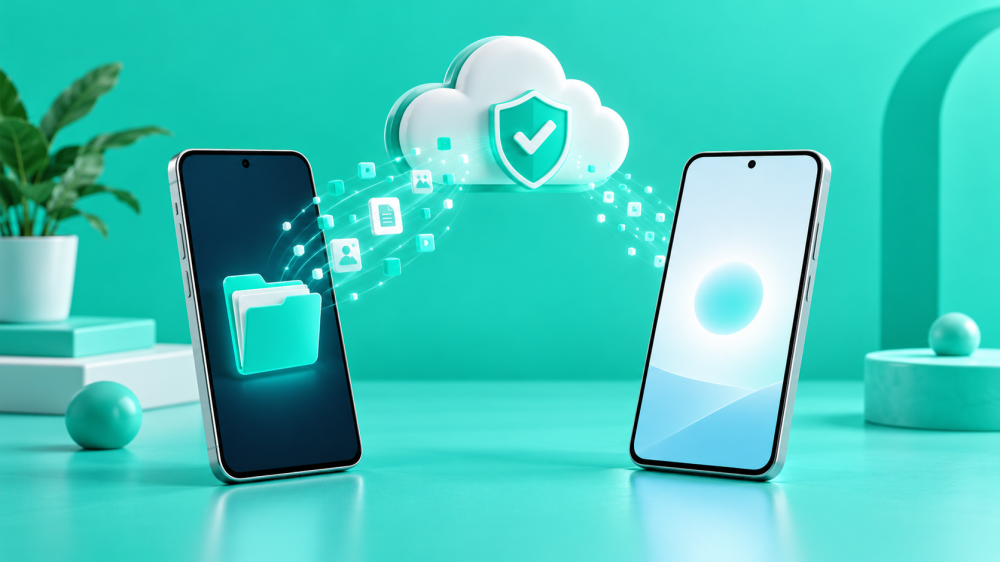
رسم لجوال وسهم يتجه من مجلد الملفات إلى فلاش USB خارجي
29 November 2026
ارض الجوال

How to Copy Files from Your Phone to a USB Flash Drive

If a long video leaves your phone with little room for the next one, you can copy files from your phone to a USB flash drive without a computer. Start with Copy, not Move. That keeps the original on your phone until you have opened the copy from the drive itself.

What do you need to connect the drive?

Check the plug on the drive against the port on your phone. A USB-C flash drive may plug straight into a USB-C phone. For a drive with a rectangular USB-A plug, look for an adapter that fits your phone and explicitly supports data transfer, not just charging. For a Lightning iPhone, choose an adapter that lists USB storage support. On Android, check that your phone supports external USB storage.

How to copy phone files to a USB drive

On iPhone: use the Files app

  1. Connect the drive. Open Files, tap Browse, and look for the drive by name under Locations. If you are inside a folder, tap Browse again.
  2. Find the original document or video in Files. Touch and hold it, then choose Copy.
  3. Return to the drive under Locations and open the destination folder. Touch and hold an empty area, then tap Paste. Let the copy finish before disconnecting the drive.

On Android: use Files by Google

  1. Plug in the drive and open Files by Google. If a USB storage notification appears, select the drive and allow the app to access it.
  2. Start in Downloads or the folder on your phone that holds the original. Open the file’s menu and select Copy to. For several files, select them first and use the More menu.
  3. Choose the USB drive by name, not Internal storage. Open the destination folder and tap Copy here. Labels may differ in your phone maker’s file manager.

What if the drive or the copied file is missing?

If the drive does not appear: reconnect it, then try it on a computer or try an adapter you know carries data. An iPhone needs a drive with a single data partition in a supported format, such as exFAT or FAT32. If your device offers to format the drive, stop and back up anything you need from it first. Formatting erases its contents.

If the drive appears but the video is missing: open the destination folder on the drive itself, not the Recents view. Check how much space is free and try one small file. Play the copied video from the drive and skip toward the end. For anything irreplaceable, keep a second independent copy before deleting the original.

For details, see Apple’s guide to external storage on iPhone or Google’s USB storage guide.

Need an adapter? Browse charging accessories and cables at Ardaljwal. Before ordering, check the connector and make sure the description lists data transfer.

Read More
How to Lock Your Phone to One App Before Lending It
28 November 2026
ارض الجوال

How to Lock Your Phone to One App Before Lending It

A friend asks to use your calculator. They don’t need your passcode or a way into your messages. You can lock your phone to one app, hand it over with the calculator open, and let them do the maths. On an iPhone the feature is called Guided Access; on Android it’s called app pinning or screen pinning.

Locking an app vs. locking the phone to an app

An app lock checks who is trying to get in. Pinning does the opposite: it lets someone use the open app but restricts how they leave. Pinning your photo library, for instance, doesn’t mean the next photo is hidden. If you want to show only one picture, send a copy rather than handing over the open library.

How to lock an iPhone to one app with Guided Access

Before handing it over

  1. In Settings, open Accessibility, then Guided Access. Turn it on and set a Guided Access passcode that only you know.
  2. Open Calculator, for example. Triple-click the side button, or the Home button on an iPhone that has one. Choose Guided Access if a shortcuts menu appears.
  3. On the setup screen, tap Start. If there’s a particular control you don’t want the other person to touch, draw a circle around it before starting.

When you get your iPhone back

On current versions, triple-click the same button, authenticate and choose End. Apple specifies a double-click to pause a session on iOS 18 or earlier. Emergency services and Crash Detection are unavailable during Guided Access; end the session if you need them. See Apple’s Guided Access instructions.

How to use app pinning on Android

  1. Search Settings for “app pinning” or “screen pinning”. It may be under Security; the path varies by manufacturer. Set up a screen lock and, if a separate option is shown, require it when unpinning.
  2. Open the app, then bring up recent apps: swipe up from the bottom and pause halfway, or tap Overview if you use navigation buttons. Tap the app icon above its preview and choose Pin.
  3. To unpin with gesture navigation, swipe up and hold. With three-button navigation, hold Back and Overview together. Enter your screen lock credentials when prompted.

If the menus look different on your phone, see Google’s guide to pinning and unpinning screens or the guide for your model.

Try this 30-second handover check

Test it yourself first: can you still use the calculator? Can you get back to the home screen or switch apps without authenticating? If you can leave freely, keep the phone with you, check the exit settings and try again. Then look at what’s accessible inside the app. That’s what the person borrowing it will see.

There’s no need to buy a new phone if yours supports the feature. If you’re already comparing models, browse iPhones and Samsung phones at Ard Al Jawal, then check the guide for your chosen model.

Read More
How to scan documents on your phone into one PDF
27 November 2026
ارض الجوال

How to scan documents on your phone into one PDF

A repair shop wants your receipt and both pages of the warranty in one file. You can scan documents on your phone without making the recipient sort through three photos. The trick is to add each sheet to the same scan and wait until the last page before you save.

Set up the page for a readable scan

Lay the paper on a surface that contrasts with its edges. Hold the phone parallel to the sheet and keep your hand’s shadow off the print. If the flash bounces off a glossy receipt, switch it off and move the paper nearer a window. Check the smallest line of print: a sharp shop logo doesn’t guarantee a readable order number.

How to scan several pages into one PDF

On iPhone: use the Files app

Open Files, go to Browse, tap More (…) and choose Scan Documents. Point the camera at the receipt. If automatic capture misses an edge, take the scan manually and drag the corners around the paper, not the tabletop.

Keep the scanner open and capture both warranty pages in order. Tap Done after the last sheet, then choose where to save the file. Pick On My iPhone for a local copy or iCloud Drive to sync it. If the controls look different on your version, see Apple’s document scanning guide.

On Android: use the Google Drive scanner

Open the Google Drive app and tap the camera icon. Capture the first page, then crop or rotate the scan if the frame cuts into the text. Use the plus (+) button in the scanner to add the next sheet. After the final page, tap Done, name the file and choose PDF rather than JPG.

Select a destination folder in Drive and save. This method saves the document to your Google Drive account. If you use a personal and a work account on the same phone, check both the account and the folder, especially if the folder is shared. Google’s scanning guide explains the available tools.

Check the PDF before you send it

Open the saved file, not the camera preview. For the receipt and warranty, you should see three pages in one document. Flip through them to check their orientation, then zoom in on the order number, purchase date and stamp. If a pale stamp disappears under a black-and-white filter, scan that page again in colour. If the recipient asks for an attachment, send the file itself rather than a link they may not have permission to open.

For the occasional receipt, your phone is all you need. If you regularly scan a stack of paperwork, browse phone stands at Ard Aljawal and look for one that holds the camera above a page without blocking the lens.

Read More
Offline maps: How to download your route before a trip
26 November 2026
ارض الجوال

Offline maps: How to download your route before a trip

You leave the airport with your hotel saved on your phone, but the route won’t load. A saved pin marks a place; downloading offline maps stores the surrounding area on your phone. If you’re driving from the airport to your hotel, what matters is the stretch of road between them, not just the two pins.

How much of the map should you download?

Look up your route while you’re still on Wi-Fi. When you select the download area, include the start, the destination and the entire road between them. Leave some room around junctions where you might turn off. For a long drive, check the edges of the areas you’ve downloaded so you don’t leave a gap in the middle.

Choose an offline map for the way you travel

Google Maps: Driving directions on iPhone and Android

Tap your profile picture in Google Maps, open Offline maps and choose Select your own map. Frame the whole route, download the area and wait for it to finish. Without a connection, you can get driving directions if the entire route is covered. Live traffic and alternate routes aren’t available offline, and neither are walking, cycling or public transit directions. Google Maps Help.

Apple Maps: When the last leg is on foot

On an iPhone running iOS 17 or later, search for your destination and open its place card. Choose Download, or open More and select Download Map. Adjust the area and check the file size before confirming. In supported areas you can get turn-by-turn driving and walking directions offline; cycling or transit directions may also be available. Check your destination in advance, as coverage varies by region. Apple’s offline maps guide.

Test your route before you leave

Temporarily turn off both Wi-Fi and mobile data, then ask for directions from the airport to your hotel. If you’re still at home, enter the airport as your starting point. Seeing a pin isn’t enough: look for the route line and the list of turns. If you’ll walk the final leg, test it in walking mode too.

No route? Reconnect and check three things: the download finished, the map covers the whole route, and the app supports your mode of travel offline. Check for map updates before each trip; a saved map may not reflect a recent road change.

Once the test works, turn your connection back on. If you’re getting your phone ready for a longer trip, browse the power banks at Ardaljwal for one that fits your travel plans.

Read More
noise-cancelling-headphones-anc-transparency.webp
22 November 2026
ارض الجوال

Noise Cancelling Headphones: When to Use ANC or Transparency Mode

If noise cancelling headphones quiet the air conditioner but you can still hear a colleague, your headphones may be working just fine. The difference depends on the sound itself and on whose experience you want to improve: yours while listening, or the other person’s on a call.

Active noise cancellation vs passive isolation

Passive isolation comes from a physical barrier: ear cushions or silicone tips help keep outside sound from reaching your ears. Active noise cancellation (ANC) uses microphones to pick up noise and generates a counteracting sound signal. A pair of headphones can use both approaches at the same time.

As Sony’s noise cancellation guide explains, the effect is easiest to notice with steady, low-pitched sounds such as the rumble of a train. Judge it against a familiar background hum; don’t expect a nearby conversation or a sudden knock to disappear.

When should you use ANC or transparency mode?

For concentration at a desk or on a trip

If the air conditioning masks a podcast, switch on ANC and leave the playback volume where it is. That way you can tell whether the mode helped without confusing the effect with turning up the volume.

For an announcement or a face-to-face conversation

Use transparency mode, sometimes called ambient sound. It lets you hear the room while keeping your headphones on. That isn’t quite the same as switching ANC off: the cushions still block some sound when processing is off. Apple explains the two listening modes for compatible AirPods. If you miss an important announcement, pause playback or take the headphones off.

A quick test before you judge your headphones

  1. Sit near an air conditioner running at its usual level. Pause your music. Alternate between transparency and ANC, listening to the same hum each time.
  2. If outside sound leaks past your earbuds, try a different size of the supplied tips. For over-ear headphones, reseat both cushions until they feel comfortable, then repeat the comparison.
  3. Make a call from the same spot and ask two questions: “Is my voice clear?” and “Can you hear the fan behind me?” What you hear is not a microphone test. ANC for the listener alone does not guarantee less background noise for the person on the call.

Which feature is worth paying for?

For long journeys, start with comfort and how much the headphones reduce a steady rumble. For meetings, prioritise the call microphone. If you often switch between focused work and conversation, check how easily you can change listening modes. Browse wireless headphones at Ardaljwal and read the specifications for the exact model: Bluetooth alone doesn’t tell you whether ANC or transparency is included.

Read More
phone-passkeys-security-guide.png
11 November 2026
ارض الجوال

Passkeys on Your Phone: A Practical Setup Guide

Passkeys on your phone let you sign in to supported accounts without typing a password each time. Easier access still needs a screen lock and a recovery plan. Here is a practical starting point for iPhone and Android users.

What are passkeys?

Passkeys are credentials based on cryptographic keys rather than a password you remember and type. You approve their use with a fingerprint, face recognition or your device unlock code. They may sync through your passkey provider or remain tied to a particular device. Source: FIDO Alliance.

How do passkeys protect your accounts?

The service stores a public key; a private key proves your identity without being sent to that service. This makes passkey sign-in resistant to phishing. On Apple devices, passkeys synced through iCloud Keychain are protected by end-to-end encryption. Source: Apple passkey security.

This protects the sign-in method, not against every possible scam. Do not approve a login you did not initiate or share your phone unlock code.

Set up passkeys on iPhone and Android

Before you start

Update your operating system and browser, enable a screen lock, and use a personal device rather than a shared one. Choose an account to secure: availability depends on the service.

On iPhone

To use iCloud passkeys, enable iCloud Keychain and two-factor authentication for your Apple Account. In a supported service, open its security settings, choose to create a passkey and follow the prompts. Later, choose your account and confirm with Face ID, Touch ID or your device passcode. Menu names vary. Apple's iPhone passkey guide.

For a Google Account on a compatible device

  1. Open your Google Account security and passkey settings, or visit the official passkeys page.
  2. Choose to create a passkey and confirm your device screen lock.
  3. Test signing in before changing other access methods.

Adding a Google passkey does not remove existing recovery methods, and your biometric data is not sent to Google. Do not create one on a shared device: someone who can unlock it may access your account. Google's instructions and compatibility requirements.

What if your phone is lost or replaced?

Check your passkey provider's recovery process and each account's recovery options in advance. Syncing may help on another device, but it does not make every passkey available everywhere. Test access on your new phone before erasing the old one. If a device linked to your Google Account is lost, review the account from a trusted device and remove the lost device's passkey following Google's instructions.

Start with one account

Enable the feature in a supported service, test it and review recovery. When choosing a new phone, compare its update support, screen-lock options and compatibility with your services. Browse Apple phones at Ard Al Jawal and check individual specifications before buying; setting up passkeys does not require a special accessory.

Read More
رسم خطي لشاشات هواتف يوضح السطوع والألوان وسلاسة العرض في دليل أفضل شاشات الهواتف 2026
9 November 2026
ارض الجوال

10 Best Phones for Display Quality in 2026: Viewing and Gaming Guide

Your phone's display is the part you use all day. A powerful processor and an excellent camera are not the whole story: readable text, smooth motion, color reproduction, and outdoor visibility also deserve attention before you buy.

Here are 10 phones worth comparing for display quality in 2026, selected using their official specifications and display features.

Information reviewed on November 9, 2026. This is a use-case-based shortlist, not a laboratory ranking from first to tenth. It includes phones available during 2026, not only phones launched that year. Local availability varies, and inclusion does not mean a model is currently stocked by Ardaljwal.

10 phones with impressive displays to compare in 2026

1. Samsung Galaxy S26 Ultra: a large display with a privacy feature

A 6.9-inch Dynamic AMOLED 2X display combines QHD+ resolution with an adaptive 1–120Hz refresh rate. Its large viewing area and high resolution are complemented by Privacy Display, which restricts visibility from side angles when enabled. Source: Samsung.

2. iPhone 18 Pro Max: a large viewing area for iPhone users

Its 6.9-inch OLED display has a 2868×1320 resolution and ProMotion adaptive refresh rates up to 120Hz. It is a suitable option if you want a large iPhone screen with HDR support and an anti-reflective coating. Source: Apple.

3. Google Pixel 11 Pro XL: worth comparing for outdoor use

A 6.8-inch LTPO OLED screen offers 2992×1344 resolution and a 1–120Hz refresh rate. Google advertises up to 2400 nits for HDR and 3600 nits peak brightness under its measurement conditions, making it worth comparing if you frequently use your phone outdoors. Source: Google.

4. HONOR Magic8 Pro: low-light dimming options

A 6.71-inch LTPO OLED panel supports an adaptive 1–120Hz refresh rate. It offers 4320Hz PWM dimming under specified conditions with the relevant setting enabled. This is a feature to try if low-light display behavior matters to you; it does not guarantee comfortable viewing for everyone. Source: HONOR.

5. OnePlus 15: a higher refresh rate in supported games

The 6.78-inch screen has a 2772×1272 resolution and an adaptive 1–120Hz refresh rate, reaching 165Hz in supported games. It is an option for high-frame-rate gaming, provided your games support the higher rate. Source: OnePlus.

6. OPPO Find X9 Pro: a large screen with 10-bit color

A 6.78-inch AMOLED screen offers 2772×1272 resolution and up to 120Hz. Its large size, 10-bit color depth, and advertised DCI-P3 coverage make it worth considering for visual content. Source: OPPO.

7. vivo X300 Pro: detail and smooth motion

The 6.78-inch AMOLED screen combines 2800×1260 resolution with LTPO adaptive refresh between 1 and 120Hz. A density of 452 pixels per inch and the P3 color gamut are useful specifications for viewing photos and text clearly. Source: vivo.

8. Xiaomi 17 Ultra: a spacious display for video

Its approximately 6.9-inch HyperRGB OLED display has a 2608×1200 resolution and a 1–120Hz refresh rate. Dolby Vision and HDR10+ support make it worth considering for video, alongside its large viewing area. Source: Xiaomi.

9. iPhone 18 Pro: advanced display features in a smaller size

A 6.3-inch OLED screen offers 2622×1206 resolution and adaptive refresh up to 120Hz. It brings the Pro Max's core display features to a smaller form factor for people who value portability over maximum screen space. Source: Apple.

10. Google Pixel 11 Pro: a smaller Android option with high pixel density

The 6.3-inch LTPO OLED panel has a 2856×1280 resolution and a 1–120Hz refresh rate. It combines a relatively compact size with 495 pixels per inch and advertised brightness specifications matching the XL model. Source: Google.

How to choose the best phone display for your needs

For video and entertainment

Start by comparing iPhone 18 Pro Max, Xiaomi 17 Ultra, and Galaxy S26 Ultra. These suggestions are based on their large viewing areas and display features, not a claim that one wins in every situation.

For gaming

Consider OnePlus 15 if your games support 165Hz. A screen's refresh rate does not mean every game will run at the same number of frames per second.

For a smaller phone

Compare iPhone 18 Pro and Pixel 11 Pro. Both offer 6.3-inch displays with adaptive refresh without requiring a very large handset.

Do not let peak brightness decide everything

A brightness figure may describe a small screen area or HDR mode, rather than sustained full-screen brightness. Comparing numbers directly without their test conditions can be misleading. Display tests show the difference between a partially illuminated screen and a fully illuminated one. See PhoneArena's display measurements.

Try reading text, watching a video, and using the display at low brightness. Viewing comfort varies between people, and a high dimming frequency alone does not guarantee comfort for everyone.

The best display is the one that suits your use

The largest or brightest screen is not automatically the best choice. Decide whether viewing, gaming, or a smaller size matters most, then compare the options that match your priorities.

Browse Ardaljwal for currently available phones and accessories, and check the exact version's specifications before ordering. You can also read our phone storage and RAM guide (in Arabic) to complete your comparison.

Read More
Real Power Bank Capacity: How Many Charges Do 10000 and 20000mAh Provide?
9 November 2026
ارض الجوال

Real Power Bank Capacity: How Many Charges Do 10000 and 20000mAh Provide?

Thinking of buying a 10000 or 20000mAh power bank? The number of phone charges is not simply one number on the box divided by another. Understanding real power bank capacity helps you choose a portable battery with realistic expectations.

What does real power bank capacity mean?

mAh measures electrical charge at a particular voltage, not energy by itself. A power bank has an internal cell capacity, and the manufacturer may also state a rated output capacity at a specified voltage and current. Do not compare output mAh directly with your phone battery without checking both voltages.

A documented manufacturer example

Xiaomi lists the Mi 18W Fast Charge Power Bank 3 with 10000mAh cells at 3.7V, equivalent to 37Wh, but a rated output capacity of 5500mAh at 5.1V and 2.6A. These figures describe that specific model, not every 10000mAh power bank. Official Xiaomi specifications.

Why does advertised capacity differ from the energy reaching your phone?

The mAh figure changes with the measurement voltage even before losses are counted. Power-conversion circuitry then uses some energy itself. Anker explains that voltage differences and circuit losses account for the gap between cell capacity and rated output capacity. Anker support.

Further energy is lost during transfer and battery charging. A phone in use also consumes power. A lower output capacity does not by itself mean a battery is counterfeit, and a capacity figure alone does not establish product quality.

How can you estimate the number of phone charges?

Start with watt-hours (Wh), when available. At a battery's nominal voltage, energy = mAh × voltage ÷ 1000. Do not substitute USB output voltage for the battery voltage.

An illustrative calculation, not a performance promise

Assume a 37Wh power bank and a phone battery rated 5000mAh at 3.85V, or 19.25Wh. If we assume 75% of the power bank's energy ultimately reaches the phone battery, then 37 × 0.75 ÷ 19.25 ≈ 1.44 equivalent full charges.

The 75% figure is an illustration, not a fixed efficiency or a measurement of store products. The result represents enough energy for one full charge plus about 44%, not a guaranteed result every time. Performance varies with the device and conditions. If your starting figure is measured output energy, do not subtract the power bank's internal conversion losses again.

10000 or 20000mAh: which suits you?

  • Everyday use and lighter travel: compare 10000mAh options by weight, dimensions and output power.
  • Longer periods away from a socket: compare 20000mAh models for more reserve, while checking weight and recharge time.
  • Multiple devices: check total output and how it is shared when ports operate together, not just the number of ports.

Capacity is not charging speed

mAh and Wh describe charge and energy, while W describes power. A larger capacity does not guarantee faster charging. Check charging-protocol compatibility between the power bank, device and cable. USB-IF explains how USB Power Delivery manages power according to device needs. USB-IF.

Check input power to understand the power bank's own recharging requirements, and read our USB-C cable guide before choosing accessories.

Options to compare at Ardaljwal

Compare the JODA NeoPower 10000mAh and JODA NeoPower 20000mAh, reading each product's specifications before ordering. We have not measured their actual number of phone charges, and the assumptions in the example do not automatically apply to them.

Conclusion

Choose by energy needs, weight and charging compatibility—not just the largest number. Browse Ardaljwal's power banks and compare rated capacity and port power to find a suitable option.

The original illustration does not depict a specific product. Sources reviewed: November 9, 2026.

Read More
مسح بيانات الجوال قبل البيع ونسخ الملفات احتياطيًا قبل الانتقال إلى هاتف جديد
26 October 2026
ارض الجوال

مسح بيانات الجوال قبل البيع: خطوات آمنة لآيفون وأندرويد

قائمة أخيرة قبل التسليممسح بيانات الجوال قبل البيع يبدأ قبل الضغط على «إعادة ضبط المصنع». فالهاتف قد يحتوي على صور ووثائق وحسابات تحتاجها في جهازك الجديد. اتبع هذا الترتيب: احفظ نسخة احتياطية، اختبر انتقال معلوماتك، ثم افصل الحسابات وامسح الجهاز وفق تعليمات الشركة المصنّعة.


قبل مسح بيانات الجوال: جهّز نسخة يمكنك الاعتماد عليها


لا تجعل موعد تسليم الجهاز هو أول مرة تفحص فيها النسخ الاحتياطي. دوّن ما تريد نقله، ثم افتح عينة من الصور والملفات على الجهاز الجديد أو في وجهة الحفظ. وجود اسم نسخة قديمة وحده لا يثبت أن آخر ملفاتك محفوظة.


قائمة تحقق قبل إعادة ضبط المصنع


تأكد من الصور وجهات الاتصال والمستندات والتنزيلات المهمة.


راجع طريقة نقل المحادثات والبيانات من داخل التطبيقات التي تستخدمها؛ لا تفترض أن كل تطبيق ينقل محتواه تلقائيًا.


جرّب الدخول إلى حساباتك المهمة على الجهاز الجديد، وجهّز وسائل الاسترداد والمصادقة قبل التخلي عن القديم.


احتفظ بكلمات المرور ورموز الاسترداد لنفسك، ولا تسلّمها إلى المشتري أو أي شخص يجهّز الجهاز.


مسح بيانات الآيفون قبل البيع


توصي آبل بإنشاء نسخة احتياطية ونقل المعلومات أولًا. لا تحذف الصور أو جهات الاتصال يدويًا وأنت مسجّل في iCloud بغرض تنظيف الجهاز؛ فقد ينعكس الحذف على السحابة والأجهزة المرتبطة.


بعد التأكد من انتقال البيانات، ألغِ اقتران Apple Watch إن كانت مرتبطة بالآيفون.


اتبع خطوات تسجيل الخروج من حساب Apple المناسبة لإصدار النظام؛ تختلف الخيارات بين الإصدارات.


استخدم الإعدادات، ثم «عام»، ثم «نقل أو إعادة تعيين iPhone»، ثم «مسح جميع المحتويات والإعدادات». اقرأ رسائل التأكيد قبل الموافقة.


انقل خدمة الاتصال إلى جهازك الجديد. وعند بيع جهاز يستخدم eSIM، اتبع خيار مسح ملف الشريحة الإلكترونية مع الجهاز وفق إرشادات آبل ومزوّد الخدمة.


إذا كنت تنتقل إلى هاتف غير تابع لآبل، راجع إلغاء تسجيل iMessage. هذه الخطوات للجهاز الذي تملكه وتريد تسليمه، وليست إجراءً تتبعه مع جهاز مفقود. راجع تعليمات آبل الرسمية قبل بيع آيفون أو آيباد.


مسح بيانات أندرويد قبل البيع


توضح Google أن إعادة ضبط المصنع تمسح البيانات من الهاتف وتزيل التطبيقات وبياناتها. تحقّق من اكتمال النسخ الاحتياطي، ومن معرفتك بحساب Google ورمز قفل الشاشة، قبل البدء. وإذا غيّرت كلمة مرور Google مؤخرًا، توصي Google بالانتظار 24 ساعة قبل إعادة الضبط.


انتبه إلى حماية الجهاز المرتبطة بالحساب


قبل تسليم هاتفك إلى مالك جديد، أزل حساب Google من الجهاز بالطريقة الرسمية بعد تأمين بياناتك؛ فهذا يوقف حماية الجهاز المرتبطة به بحسب إرشادات Google. راجع أيضًا تعليمات الشركة المصنّعة لأي حساب خاص بها. لا تبحث عن أدوات لتجاوز قفل حساب لا تعرفه.


نفّذ إعادة الضبط من تطبيق الإعدادات وفق دليل موديلك؛ أسماء القوائم تختلف بين الشركات والإصدارات. لا تفترض أن الخطوات المصوّرة لهاتف آخر مطابقة لجهازك. دليل Google لإعادة ضبط أندرويد وشرح حماية الجهاز بعد إعادة الضبط.


ثلاثة أخطاء تجنّبها عند بيع هاتفك


المسح قبل اختبار النقل: خصص وقتًا لفحص ملفاتك وحساباتك بدل اكتشاف النقص بعد التسليم.


نسيان الشريحة أو بطاقة الذاكرة: أخرج الشريحة الفعلية وبطاقة microSD إن وُجدت، وتعامل مع eSIM وفق إرشادات مزوّدك.


تسليم جهاز ما زال مرتبطًا بحسابك: تأكد من اكتمال خطوات الخروج والمسح الرسمية، ولا تسجّل حسابك مجددًا أثناء عرضه على المشتري.


قائمة أخيرة قبل التسليم


تحقّق من النسخة الاحتياطية، وانتقال وسائل الدخول، وإزالة شرائحك وبطاقاتك، وانتهاء إعادة الضبط وظهور شاشة الإعداد الأولي. ظهور هذه الشاشة علامة عملية على اكتمال إعادة الضبط، لكنه ليس بديلًا عن اتباع خطوات فصل الحسابات.


وعندما تختار بديلك، تصفح جوالات أبل في أرض الجوال أو جوالات سامسونج، وقارن المواصفات والسعة التي تحتاجها. هذا دليل لتجهيز جهازك، وليس إعلانًا عن خدمة شراء أو استبدال أجهزة مستعملة.


الصورة توضيحية أصلية وليست لمنتج محدد. آخر مراجعة لمصادر: 26 أكتوبر 2026.


Read More
Find a Lost Phone: Settings to Enable Before It Goes Missing
19 October 2026
ارض الجوال

Find a Lost Phone: Settings to Enable Before It Goes Missing

Your chance of finding a lost phone starts before it disappears. Review device-finding settings now and make sure you can access your account from another device. This is a preparation guide for iPhone and Android, not a guarantee of recovery in every situation.

Why set up phone-finding services in advance?

Having an app is not enough: the account, location settings and model-specific features affect the result. Check them while you still have your phone. Use these services only for your own devices or devices you are authorized to manage—not to track other people without consent.

Enable Find My on iPhone

Review the basic settings

Open Settings, tap your name, then Find My, and enable Find My iPhone. Also review the Location Services settings needed to display the device on a map. Labels may vary slightly by system language and version.

Understand the network and last-location options

Apple explains that the Find My network can help locate an offline device, while Send Last Location sends its location when the battery is low. Available features depend on the device, region and conditions; this is not guaranteed continuous tracking. Apple's official Find My setup instructions.

Prepare Android with Find Hub

Google recommends checking that the correct Google Account is signed in, location is enabled, and permission to locate the device is enabled in Find Hub settings. Search Settings for the service if menu paths differ between manufacturers.

Review offline device-finding options and set a screen-lock PIN, pattern or password. Network options vary by version and settings. Offline-finding support does not mean every phone remains findable after it is switched off: Google describes finding after battery depletion only for supported devices under specified conditions. Google's lost-device preparation guide.

A safe test while the phone is with you

  1. Open the official finding service on another trusted device and sign in to your own account.
  2. Check that the correct phone appears, rather than an old device with a similar name.
  3. Check the displayed location and its update time: a past location is not necessarily the phone's current location.
  4. If testing the sound feature, choose a suitable place to avoid disturbing others.
  5. Do not test erasing the phone or removing it from the account; neither is needed to check readiness.

Do not make the phone your only way into the account

Keep a secure alternative for account recovery or two-step verification. Google recommends preparing backup codes or another appropriate method if the main phone is used for verification. Store recovery information securely away from the phone. Never share passwords or sign-in codes with someone claiming to have found it.

For further protection, read Ardaljwal's phishing and scam-message guide before responding to unexpected links or messages.

A short readiness checklist

  • You know the correct account and can access it securely.
  • Device finding and location settings are enabled according to the system's guide.
  • You understand offline-finding options rather than assuming they work.
  • The phone actually appeared in a test on another trusted device.
  • Recovery methods do not depend solely on the phone.

Prepare before you need to search

Advance setup and account-access testing matter more than a feature's name. A map does not guarantee recovery: do not confront anyone or enter an unsafe place based on a displayed location. When setting up a new device from Ardaljwal, check finding settings alongside screen locking and backups.

The original illustration is not a screenshot of a real app. Sources last reviewed: October 19, 2026.

Read More
Headphones That Connect to Two Devices: Bluetooth Multipoint Explained
18 October 2026
ارض الجوال

Headphones That Connect to Two Devices: Bluetooth Multipoint Explained

Looking for headphones that connect to two devices, such as a phone and laptop? Check the exact model's specifications for Bluetooth Multipoint. Remembering several paired devices does not mean connecting to all of them simultaneously—and two connections do not necessarily mean mixing their audio.

What is Bluetooth Multipoint?

Multipoint allows compatible headphones to maintain connections with two devices and switch between them according to the model's rules and settings. It can reduce repeated visits to Bluetooth settings, but it does not guarantee compatibility between every headset and device.

Pairing, connections and switching are different

Pairing: remembering a device

A headset may remember several previously paired devices while allowing only one active connection. Sony explains this distinction for some models without multipoint. “Remembers multiple devices” is therefore not proof of multipoint support. Sony's pairing guidance.

Multipoint: two connections, not mixed audio

Do not assume you can hear phone music and laptop video together. For supported Pixel Buds, Google says to stop media on one source before playing it on the other; calls take priority over media. These are model-specific rules, not a promise that every headset behaves identically.

Automatic switching may depend on the ecosystem and account

Switching between devices in one ecosystem is not always another name for multipoint. Google's Audio switch has requirements involving Android devices, Google services and the same account, whereas multipoint is described as maintaining two device connections. Read each feature's requirements rather than relying on “smart switching.” Google's multipoint and audio-switch guide.

How to check support for two devices

  • Look for Multipoint or two-device connections on the exact model's page or official manual, not a general brand description.
  • Check compatibility with your phone and computer, including any manufacturer app or update requirement.
  • Read how calls and media are handled, and whether other features change when multipoint is enabled.
  • Do not use the Bluetooth version number alone as proof.

Try your real workflow after setup

Follow the headset manual to pair both devices and enable multipoint if required. Test before relying on it in an important meeting:

  1. Play something on the laptop and confirm audio reaches the headset.
  2. Pause it, then play audio from the phone and check the transition.
  3. Make an ordinary test call to check both microphone and playback selection.
  4. If sound stays on built-in speakers, review audio-output settings in the app and device.

If switching fails, confirm playback has stopped on the other device, the feature is enabled and the model supports it. Do not start with a factory reset: consult the manual first, because resetting may erase pairings and settings.

Do you need multipoint headphones?

The feature is useful to consider if you frequently move between computer-based work or study and phone calls. If you mainly use one device, weigh it against comfort, call quality, battery life and price rather than paying for something you will not use.

Choose features around your use

Start with the two devices you need and the headset's documented switching behavior. Browse wireless headphones at Ardaljwal, compare specifications and ask about the exact model's multipoint support before ordering. This guide does not imply that all headphones in the category support it.

The original illustration does not show a specific model. Settings and features may vary by device and software version. Sources last reviewed: October 18, 2026.

Read More
Improve Home Wi-Fi: Router, Range Extender or Mesh?
15 October 2026
ارض الجوال

Improve Home Wi-Fi: Router, Range Extender or Mesh?

Before buying equipment to improve home Wi-Fi, identify the problem: is the connection slow even beside the router, or does the signal weaken in a distant room? A good choice starts with diagnosis, not antenna count or the largest number on the box.

Test before buying

Compare the same phone near the router and in the problem room at roughly the same time, with large downloads paused. If both locations perform poorly, first check the internet service and main device. If performance is good near the router, coverage deserves attention. This is an initial indicator, not a definitive diagnosis.

Router, extender and mesh: the difference

Router: managing the main connection

A wireless router usually combines internet-sharing functions with Wi-Fi access. Replacing it may help if its capabilities are insufficient, but does not guarantee a signal through every wall or floor. TP-Link's router and access-point explanation.

Range extender: repeating the current signal

A Wi-Fi extender receives the router's wireless connection and rebroadcasts it. It may suit one limited weak area, provided it is placed where it still receives a good signal—not inside a complete dead zone. It does not increase your internet subscription speed.

Mesh: interconnected units in a shared network

Mesh systems spread coverage through linked units with shared network settings and may suit several weak areas. Some support Ethernet connections between units. Do not assume universal compatibility: check the system, model, hardware version and firmware before adding a unit. TP-Link's coverage-solution comparison.

When should you consider an access point?

An access point adds wireless connectivity to an existing network. It can be practical when an Ethernet cable reaches the distant room. Some routers offer AP mode, although network-management functions may change in that mode. Follow the model's manual rather than changing the main device's settings at random.

Better Wi-Fi starts with placement

For Nest Wifi and Google Wifi, Google recommends central, open locations away from the floor and obstructions. Units need good connections to each other; simply placing them in the farthest corners is not enough. These are useful planning principles, while exact installation distances depend on the equipment and environment. Google's placement guidance.

  • Try moving the router from an enclosed corner before buying another device.
  • Avoid cabinets and large obstructions around network units.
  • Retest the target room after each change.
  • Use the manufacturer's unit-connection test if available.

A checklist for choosing a solution

  • Is there one weak area, or several rooms and floors?
  • Does the existing router work well at close range?
  • Is Ethernet wiring available?
  • Are the units compatible within the same mesh system?
  • Do the ports and connection method suit your provider's equipment?

Do not rely only on advertised coverage area: room layout, wall materials and placement affect results. The theoretical speed printed on a box is not the internet speed you will necessarily receive.

Choose according to the problem

Test first, then compare a replacement router, extender, mesh system or access point. The best solution fits your network and home layout; it is not always the most expensive.

Browse Ardaljwal's routers and range extenders and check specifications and compatibility before ordering. For help choosing, give customer service your existing router model, number of floors and the location of the weak signal.

The original illustration does not depict a specific product. Sources last reviewed: October 15, 2026.

Read More
How to Choose a Dash Cam Memory Card: Capacity, Speed and Endurance
11 October 2026
ارض الجوال

How to Choose a Dash Cam Memory Card: Capacity, Speed and Endurance

Choosing a dash cam memory card involves more than gigabytes. Car cameras write video continuously and may overwrite older clips, so the card needs compatibility, suitable speed and endurance. This guide helps you choose without paying for features you do not need.

Start with the camera's requirements

Check the exact camera model's manual for card type, minimum speed class and supported capacities. One device accepting 256GB does not mean every camera does. A “4K-ready” label alone does not establish compatibility.

For example, 70mai's A810 support page specifies 32–256GB and recommends U3 or higher. This applies to that model, not all dash cams. Official 70mai support.

Why does endurance matter?

High Endurance or PRO Endurance cards are designed for repeated recording, including dash cams and surveillance cameras. Samsung identifies these uses for its PRO Endurance series. Still check compatibility, warranty and usage conditions rather than relying only on the range name. Samsung.

Endurance and speed are different: a card that transfers files quickly is not automatically best for continuous recording. Advertised endurance hours describe lifetime testing under specific conditions, not the number of hours that fit on the card at once.

What do U3 and V30 mean?

Writing speed matters for recording

Read speed helps when copying clips to a computer. Recording depends on sustained writing. SD Association defines U3 and V30 as minimum sequential write speeds of 30MB/s under each standard's conditions. They belong to different rating systems: match the class required by the camera, not just the number. SD Association.

Do not automatically buy the highest rating

If the camera requires U3, choose a card meeting that requirement with suitable capacity and endurance. A more expensive card may offer no benefit if the camera cannot use its capabilities. Video resolution alone does not determine requirements: camera count, bitrate and recording settings also matter.

Choose capacity around your recording needs

Decide how long you want footage retained before old clips are overwritten. A larger supported capacity generally provides more space, but actual duration varies with quality, encoding, front/rear recording and space reserved for events.

  • Note your model's supported capacities before buying.
  • Consider long journeys and multiple recording channels.
  • Do not rely on fixed-hour claims without their test settings.
  • Keep important clips elsewhere: the card is not a permanent archive.

Format and test before relying on recordings

Back up important files before formatting, which erases data. Follow the camera's initial formatting instructions, then record and play a test clip to check picture and sound. 70mai A810 guidance recommends formatting a new card or one containing files not created by the camera. Follow your own model's instructions for maintenance.

Review footage periodically and do not ignore card alerts or corrupt files. If errors recur, check compatibility and follow the manufacturer’s troubleshooting steps; replace a confirmed faulty card. Avoid removing it while recording, and copy needed clips before loop recording overwrites them.

Before-you-buy checklist

  • Card type and capacity are supported by the camera.
  • The required speed class is clearly stated.
  • The card is designed for repeated recording when needed.
  • The seller and warranty suit the intended use.
  • You know how to format the card and export footage.

Compatibility comes first

The best dash cam card matches your camera and recording use—not simply the largest capacity or fastest rating. Start with the camera manual, compare endurance, speed and capacity, then test after installation.

Browse dash cams at Ardaljwal and read our car-camera guide before choosing compatible equipment. Do not assume a memory card is included: check each product's box contents.

The original illustration does not depict a specific product. Sources last reviewed: October 11, 2026.

Read More
Will Galaxy S27 Ultra Use Exynos 2700? What the Leak Actually Says
5 September 2026
ارض الجوال

Will Galaxy S27 Ultra Use Exynos 2700? What the Leak Actually Says

Editorial note: This is a translation of the article's September 5, 2026 snapshot. Its Exynos 2700 and Galaxy S27 Ultra discussion is based on unofficial reports available at that time. Samsung had not officially announced either product or regional versions as of that date.

Reports claimed Samsung was developing Exynos 2700 for the next Galaxy S27 generation, potentially including Galaxy S27 Ultra. The details were early and require a clear distinction between confirmed information and expectations.

What do the leaks claim?

Reports suggest an improved 2nm GAA process, a larger AI unit, shared cache potentially reaching 24MB and a new Xclipse GPU. Some suggest use in the Galaxy S27 series in 2027, possibly including Ultra variants in certain markets. These are not an official list of models, regions or final specifications.

What has Samsung officially confirmed?

Samsung's official Exynos 2600 information describes a 2nm GAA processor with a ten-core Arm v9.3 CPU, improved NPU, Xclipse 960 graphics, and advanced thermal and imaging features.

Samsung describes stronger on-device generative AI, graphics and ray tracing than its predecessor, alongside Heat Path Block thermal design. This indicates the company's direction, but does not establish Exynos 2700 specifications or the phones that will use it.

Why could Exynos in an Ultra model matter?

Sustained performance

An Ultra phone needs stable performance for games, photography and video editing—not only high scores in brief tests. Cooling, efficiency and behavior under load matter.

On-device AI

A larger NPU and shared memory could help run more demanding photo, translation and assistant workloads locally, reducing dependence on servers. This remains a possible implication, not a confirmed product result.

Battery life and heat

A newer manufacturing process does not automatically mean longer battery life. It may improve performance per watt, but the display, modem, software and cooling design also affect results.

Regional variants

Even if the series uses Exynos 2700, versions could differ between countries. Check the exact model number, processor, warranty and Saudi network compatibility after the official announcement.

Can early performance numbers be trusted?

Treat early clock speeds, benchmarks and power-consumption claims cautiously. Engineering samples may use unfinished firmware and frequencies, and designs can change before production. A chip-die image alone cannot reveal real-world phone performance.

Wait or buy a currently available phone?

If you need a phone now, do not let a rumor about a possible 2027 model decide everything. Compare price, warranty, cameras, battery life and updates on available devices. If your current phone works well and you can wait, follow official announcements and independent tests after release.

Browse Samsung phones at Ardaljwal and compare current options with your needs and budget.

Conclusion

The leak presents an ambitious direction, but the Exynos 2700 specifications and Galaxy S27 Ultra connection were unconfirmed at the original article's date. Exynos 2600 provides an official reference for Samsung's 2nm GAA and on-device AI work; judging its successor requires an announcement and real testing.

Sources

Original last update: September 5, 2026.

Read More
Protect Your Phone from Phishing and Scam Messages: A Practical Guide
5 September 2026
ارض الجوال

Protect Your Phone from Phishing and Scam Messages: A Practical Guide

Phishing arrives through text messages, email and messaging apps, disguised as bank alerts, invoices, prizes or urgent delivery notices. The risk grows when you follow a link, share a verification code or install untrusted software. Learn the warning signs and what to do if you have already opened a suspicious link.

What is mobile phishing?

Phishing tries to trick you into revealing passwords, card details or verification codes, or installing harmful software. A familiar-looking sender and a convincing bank, store or delivery page do not prove legitimacy.

Seven warning signs

  1. Urgency or threats: claims that an account will close within minutes or a payment must be made immediately.
  2. Requests for secrets: passwords or complete verification codes requested in a message.
  3. Unusual or shortened links: inspect the domain carefully, not only the logo or sender name.
  4. Unrealistic offers: unexpected prizes or implausibly low prices warrant verification.
  5. Unusual wording or formatting: not proof by itself, but a warning when combined with an urgent demand.
  6. Unexpected attachments or apps: do not install files from unknown links.
  7. Unusual payment requests: immediate transfers, gift cards or entering card details outside the official site.

Pause for 30 seconds before clicking

Were you expecting the message? Is the address correct? Can you use the official app instead? Open the bank or store app yourself, or enter its known website address manually. A brief pause can prevent a rushed mistake.

Protect accounts beyond the password

Enable two-step verification

A second factor adds protection when signing in. Google recommends prompts or security keys rather than relying only on SMS when these alternatives are available. Keep recovery codes securely.

Use passkeys

Passkeys let you sign in using a fingerprint, face verification or device lock. They are resistant to phishing because they are tied to the legitimate service and cannot simply be typed into a fake page like a password.

Update the system and apps

Updates include security fixes. Enable appropriate automatic updates, use official app stores and regularly review access to the camera, microphone, location and files.

Use a strong screen lock

Avoid obvious numbers and birthdays. Use a longer code alongside biometrics, and enable device finding and backups.

If you opened a suspicious link

  • Do not enter information; close the page.
  • If you entered a password, change it through the official app or site, prioritizing sensitive accounts.
  • If you shared a verification code, review devices and sessions and sign out unknown ones.
  • If you entered card details, contact the bank immediately through its official number and monitor transactions.
  • Remove apps installed from untrusted sources and review their permissions.
  • Do not reopen the link. Keep a screenshot if needed for a report.

For iPhone and Android users

On iPhone, use available junk-message reporting and unknown-sender filtering. Apple recommends updating account or payment information through official settings and apps rather than message links. On Android, use Google Account Security Checkup, review signed-in devices and enable two-step verification or a passkey.

A quick checklist

  • Never share verification codes.
  • Avoid unknown links to banking and shopping services.
  • Enable two-step verification and passkeys where supported.
  • Use a different password for each important account.
  • Keep software updated.

Browse Ardaljwal products or physical protection accessories for your device. Accessories do not replace digital-security precautions.

Trusted sources

Conclusion

Do not act under pressure: return to the official app or website. Two-step verification, regular updates and passkeys strengthen account protection. Share these habits with family members who may be targeted by misleading messages.

Read More